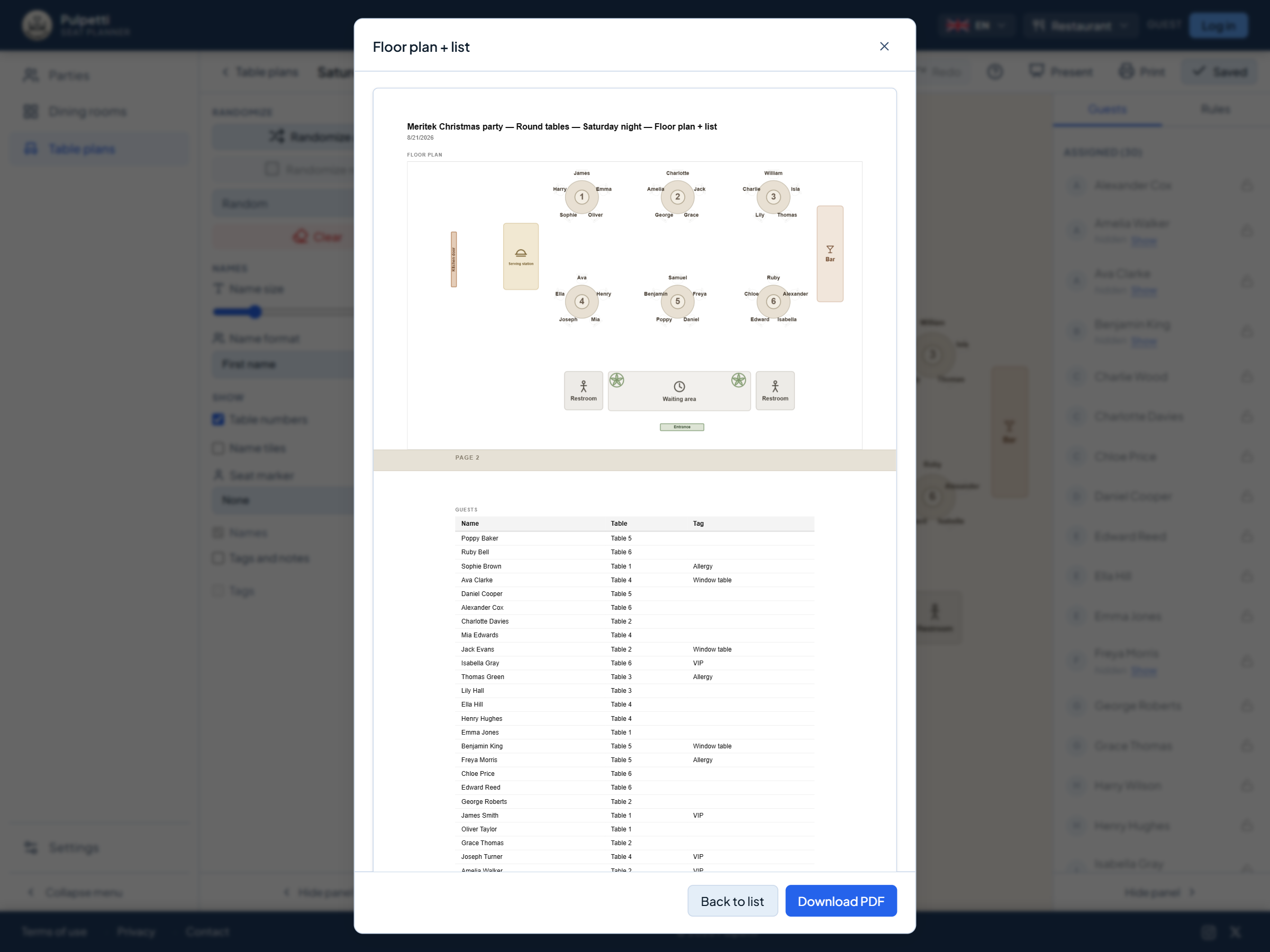
Floor plan and lists
The chart with names, the list alphabetically or grouped by table. Combinations too, each on its own page in the same file.
Seating charts in your browser
Say once who must not sit together and who belongs side by side. Seat the rest yourself, or let the app do it. Print the finished chart, the name list or the place cards.
Runs in the browser on a computer or tablet. Nothing to install, no account to try it.
On a phone you can browse and show a finished seating plan. Building one goes better on a bigger screen. Email this link to myself
A teacher works out who cannot sit next to whom. A head waiter works out where a party of ten will fit. A couple works out which relatives have to be kept at separate tables. Call it a seating chart or a seating plan: the work looks different every time, but the same need runs through it. People have to be put in their places. Rules have to be remembered even though they are written down nowhere. And when one person cancels, the chart has to be made again.
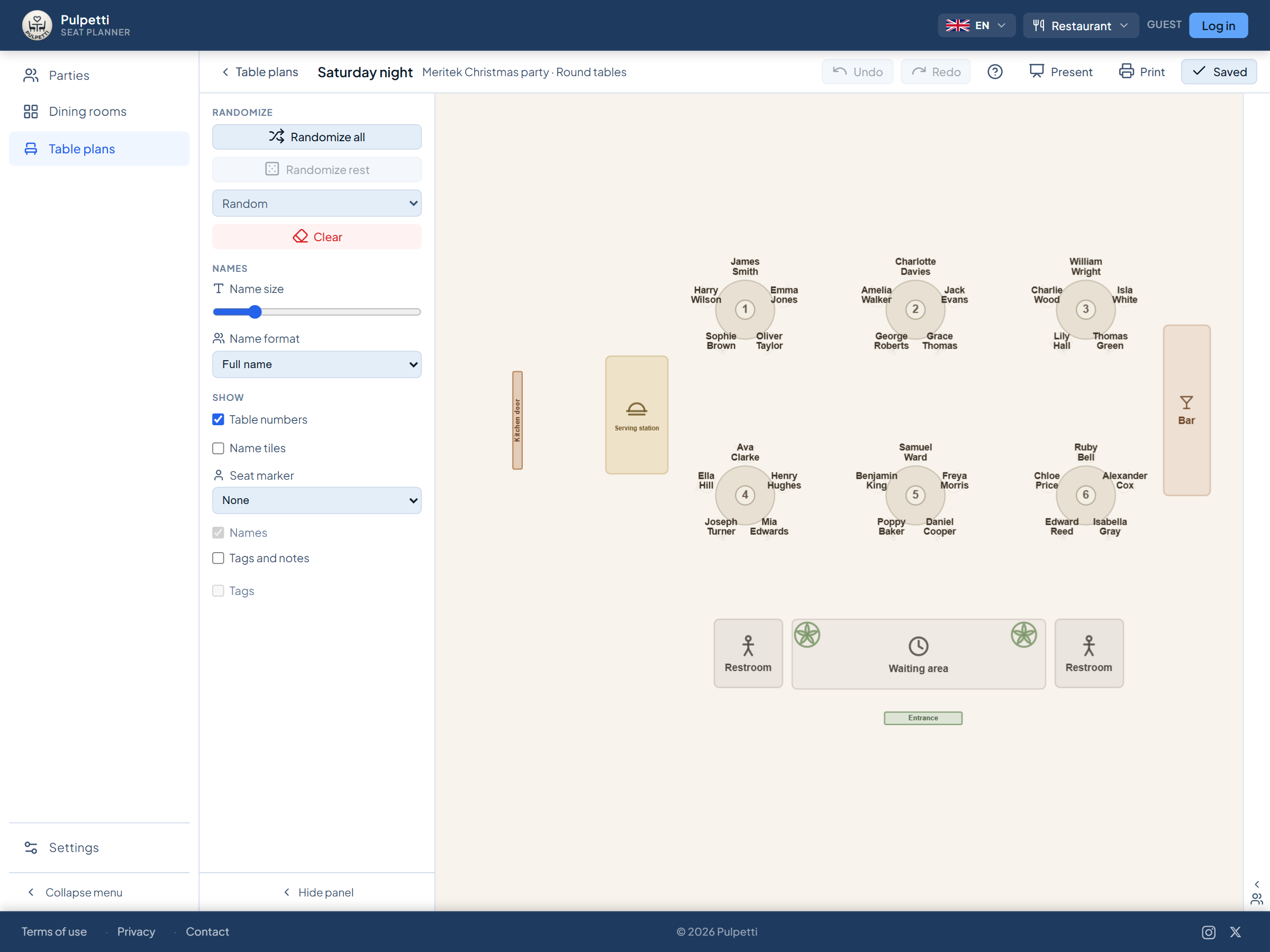
In Pulpetti you lay out the room, set the rules once and seat people however you like: drag a name from the list onto a seat, swap two people over, or let the app do the work. Changing one name takes only a moment, and the chart, the name list and the signs change with it.
Automation is never compulsory. You can build the whole chart by hand, draw only the remaining seats once the important ones are agreed, or draw them all at once. The app tells you straight away if a rule is not met.
Everything happens in the browser: nothing to install, nothing to update, and the same tool opens on a computer and on a tablet. On the paid plans the chart is stored in the cloud, so you can open it on another device as well.
These four come up whoever it is you are seating.
You build the chart once — seating people yourself or stating the rules — and changes are quick after that.
Pick the setting, and the wording, the furniture and the templates change to match. You can switch later.
Classroom seating charts, rows of desks and group tables. Rules for who must not sit together — and an exam layout in one click.
A table plan of the room to scale, table numbering and a seat counter. The evening's table assignment printed for the staff.
Banquet tables and a head table, guests seated by family and by wish. Place cards and table signs from the same chart.
A seating chart for a seminar or a gala dinner, tags by organization and a door list for the entrance.
Type the names one by one or paste the whole list at once: select the name column in your spreadsheet, copy and paste. Besides a name, a person can have a tag and a note — the tag groups and colors the names on the chart, the note is a free remark such as "needs a seat at the front".
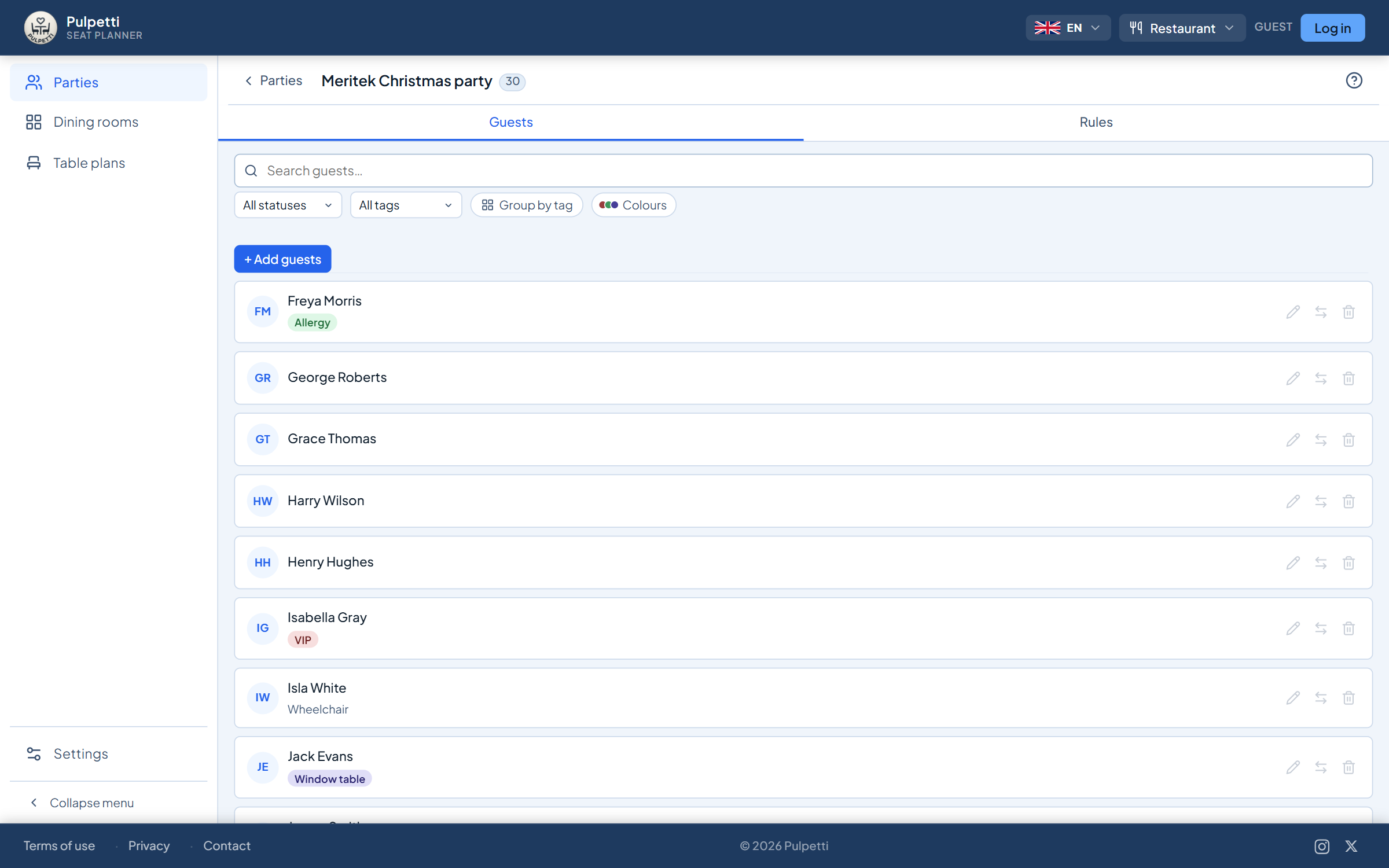
Start from a ready-made template or drag the furniture into place one piece at a time. Besides tables there are more than fifty objects — walls, doors and windows, a stage and a dance floor, a buffet and a bar, a cloakroom, a marquee, trees and fire exits — and each setting brings its own to the front. The shape and seat count of every table can be changed afterwards. No tape measure is needed, but you can have an exact plan by entering the dimensions of the room and the tables.
Mark who must not sit together, who belongs together and whose seat is already agreed. Then either move the names into place yourself, press "Draw all" and fine-tune the rest by hand — or lock the seats already agreed and draw only the remainder.
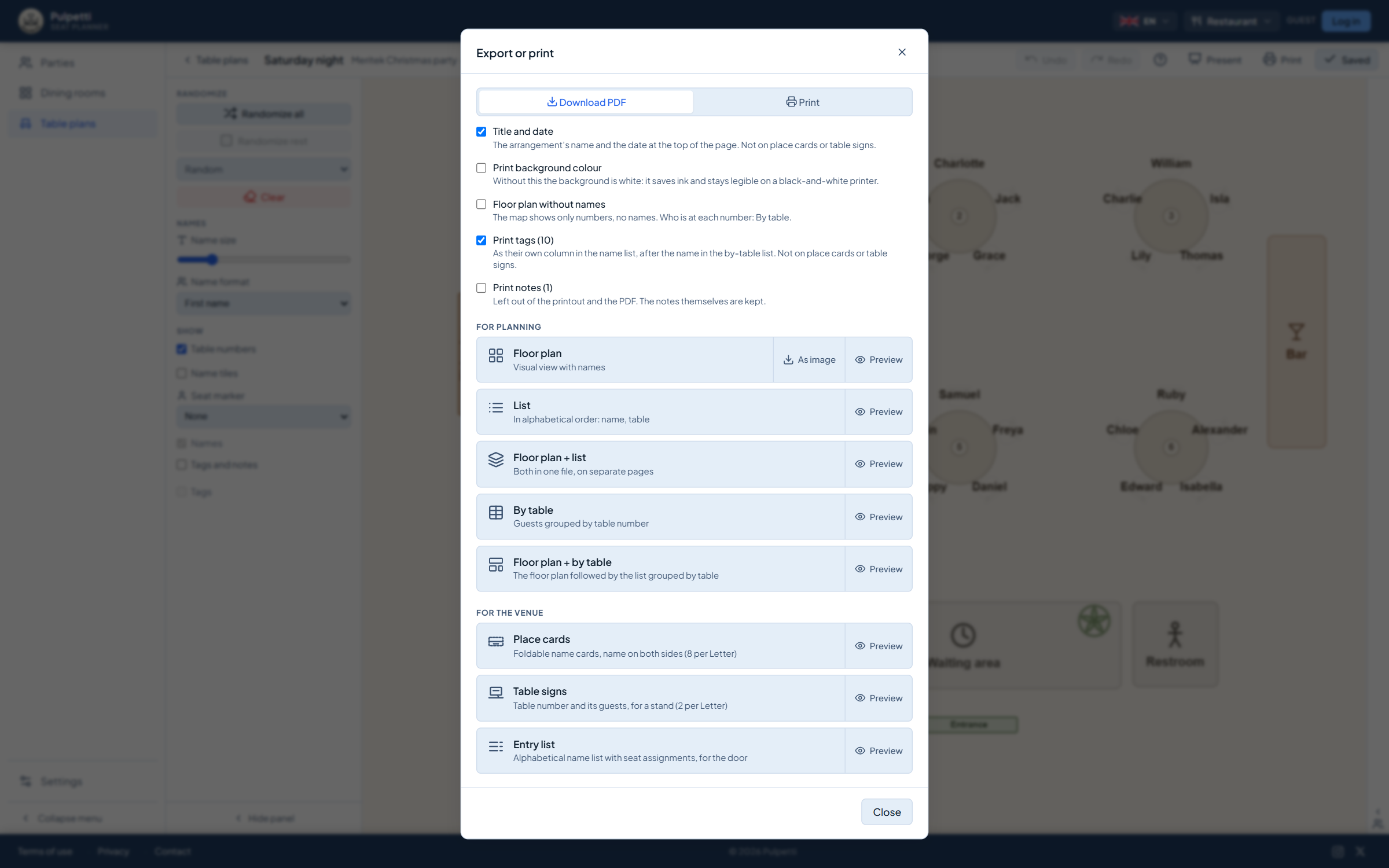
The floor plan with names, the name list alphabetically or by table, table signs and folded place cards. All from the same chart, on A4 or as a PDF.
This is the difference from paper and from a spreadsheet. A rule is not a mark on one chart but something you know about people. It travels with them even if you redo the chart from scratch.
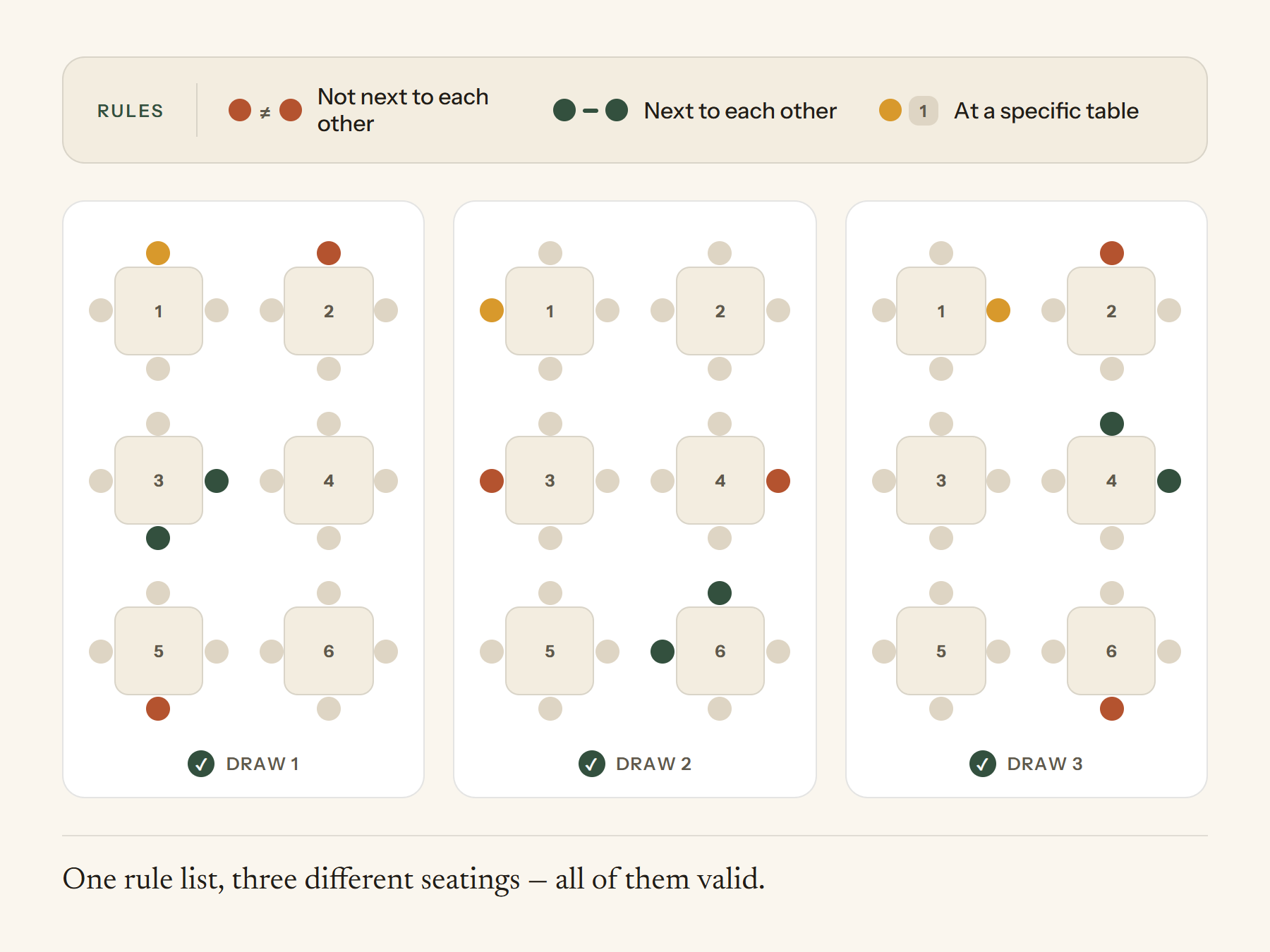
When you mark "these two at separate tables", the app keeps it. Draw the chart again as many times as you like — the rule applies every time.
Below the chart there is a plain-language note about every broken rule, naming names. It does not stop you saving, it makes sure the matter is noticed.
Some seats are decided in advance. Locked seats stay put when you draw the rest again.
One seating chart produces eight printouts — lists to read in your hand and cards to cut out for the tables.
The chart with names, the list alphabetically or grouped by table. Combinations too, each on its own page in the same file.
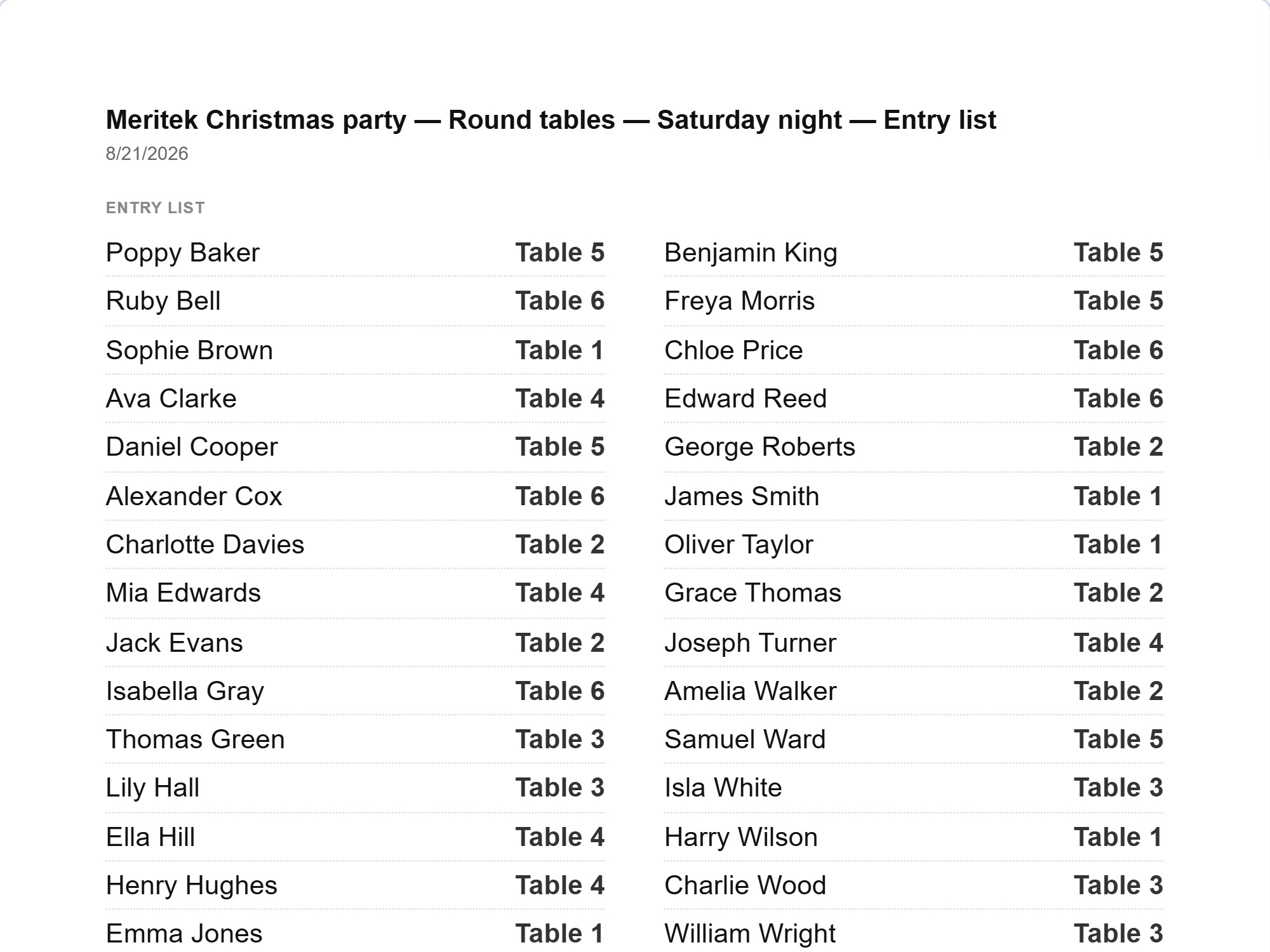
An alphabetical name → seat list for the door or the reception desk. Two columns, at a readable size.
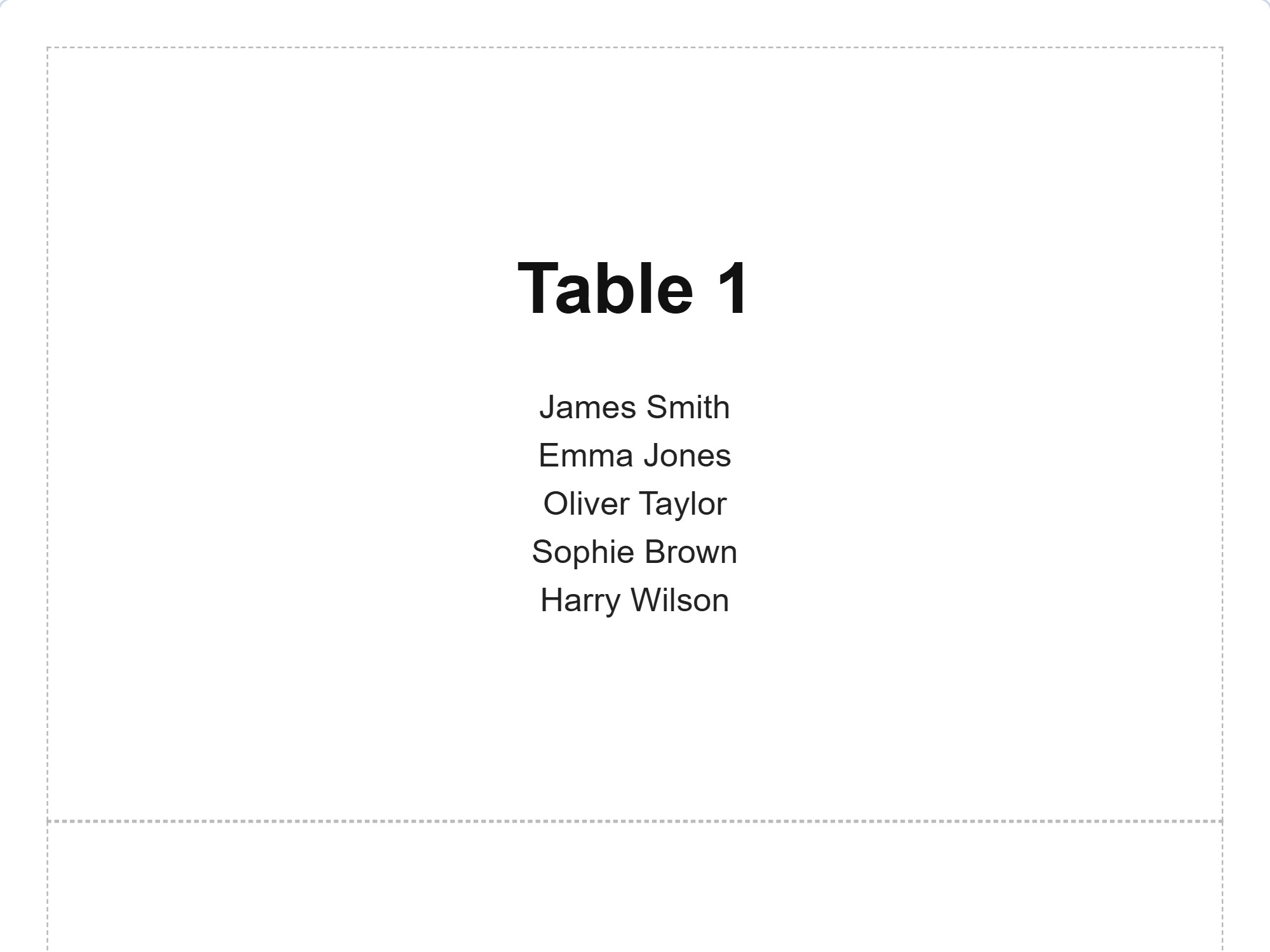
The table number and the people at that table on a standing sign. The list of names splits into one or two columns on its own.
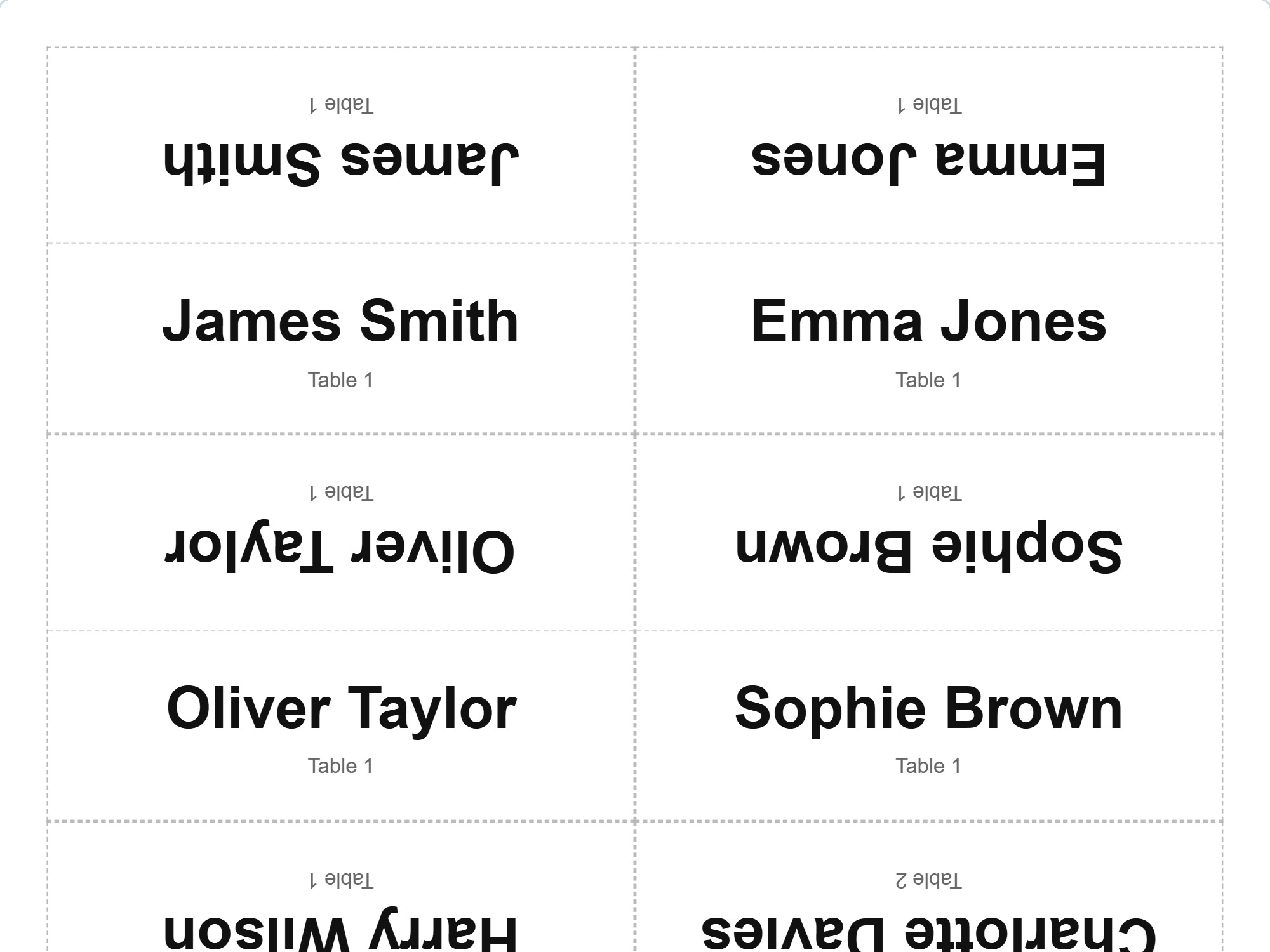
Folded cards with the name on both sides — for the person opposite as well. Cut and fold lines included.
You see a preview of every printout before printing. The same is available as a PDF, so the chart can be sent on or printed on another computer without the file changing. Next time the starting point is not on paper but in the app: a finished chart gives you a copy for the next one to start from.
Paper survives one version. A spreadsheet knows names but not the room. Neither remembers the rules for you or tells you when one of them breaks.
| Pen and paper | Spreadsheet | Pulpetti | |
|---|---|---|---|
| Rules survive from one chart to the next | – | – | ✓ |
| Seating that follows the rules | – | – | ✓ |
| A note when a rule is broken | – | – | ✓ |
| A floor plan to scale | laborious | – | ✓ |
| A change without redoing the whole chart | – | partly | ✓ |
| Name lists and table signs ready made | – | partly | ✓ |
| Folded place cards on A4 | – | – | ✓ |
One group, one room and one seating chart, plus up to 15 people — per setting. All the design tools, tags, rules and the same draw as on the paid plans. Printing and PDF export belong to the paid plans.
No. You can open the app straight in your browser and try it with the ready-made example data or with your own names. Without signing in, your data stays in your own browser.
There is no file import. Names are pasted from the clipboard: select the name column in a spreadsheet or any other list, copy and paste — one name per line. The app points out duplicates and removes them in one click.
Tables in four shapes — round, square, rectangular and school desk — and single chairs, each with its own size, rotation and seat count. Beyond those, more than fifty other objects: walls, doors, windows and pillars, a stage, a dance floor, a bar and a buffet, a cloakroom and a registration desk, a marquee, trees and fences for outdoor events, and safety markings such as first aid, fire exit and assembly point. The selection changes with the setting, so a classroom's object list is not full of festival equipment. You can also mark out an area of your own and name it yourself.
Ten rule types: who must not sit side by side, who sits side by side, who goes to separate tables or the same table, whose seat is in a given place, who sits alone, and so on. Rules belong to the group, so they apply to every chart you make for that group.
Yes. You can build the entire chart by hand: drag a name from the list onto a seat and swap people around for as long as you like. A name dropped on a taken seat changes places with whoever is sitting there. The draw is an aid you can ignore.
The app is designed for computers and tablets — drawing the room needs room on the screen. Touch gestures work on a tablet: pinch to zoom, and a name can be moved with a finger.
Yes. The setting is changed from the menu, and each one has its own wording, its own furniture and its own data. The free plan's limits are counted per setting, and a subscription covers all four settings on the same account.
The app only needs names. Without signing in, your data stays in your own browser and never leaves the computer. On the paid plans it is stored in a secure cloud, and you can export or delete it yourself at any time.
The free plan is permanent, not a trial. For a single celebration the one-off purchase is enough; for continuous use, the subscription.
€0
Permanent, not a trial
€4.99
One payment, does not renew · valid for 3 months
€2.49/ month
or €27.39 / year (€2.28 / month)
Prices include VAT. Charged in euros. At checkout you can pay in your own currency.

Pulpetti came out of a practical need. My partner is a teacher and needs the seating to help keep the classroom calm. I have organised events myself, and saw how slow it is to work through every constraint by hand.
I am a software developer by trade, and I decided to build a program that runs in the browser and keeps the rules between people unchanged from one occasion to the next. If something puzzles you or you want to suggest a new feature, write to me. I hope you like it!
Tomi NevalainenMaker of Pulpetticontact@pulpetti.com
Paste the names, lay out the room and see what kind of chart comes out. No account needed.
Try it free