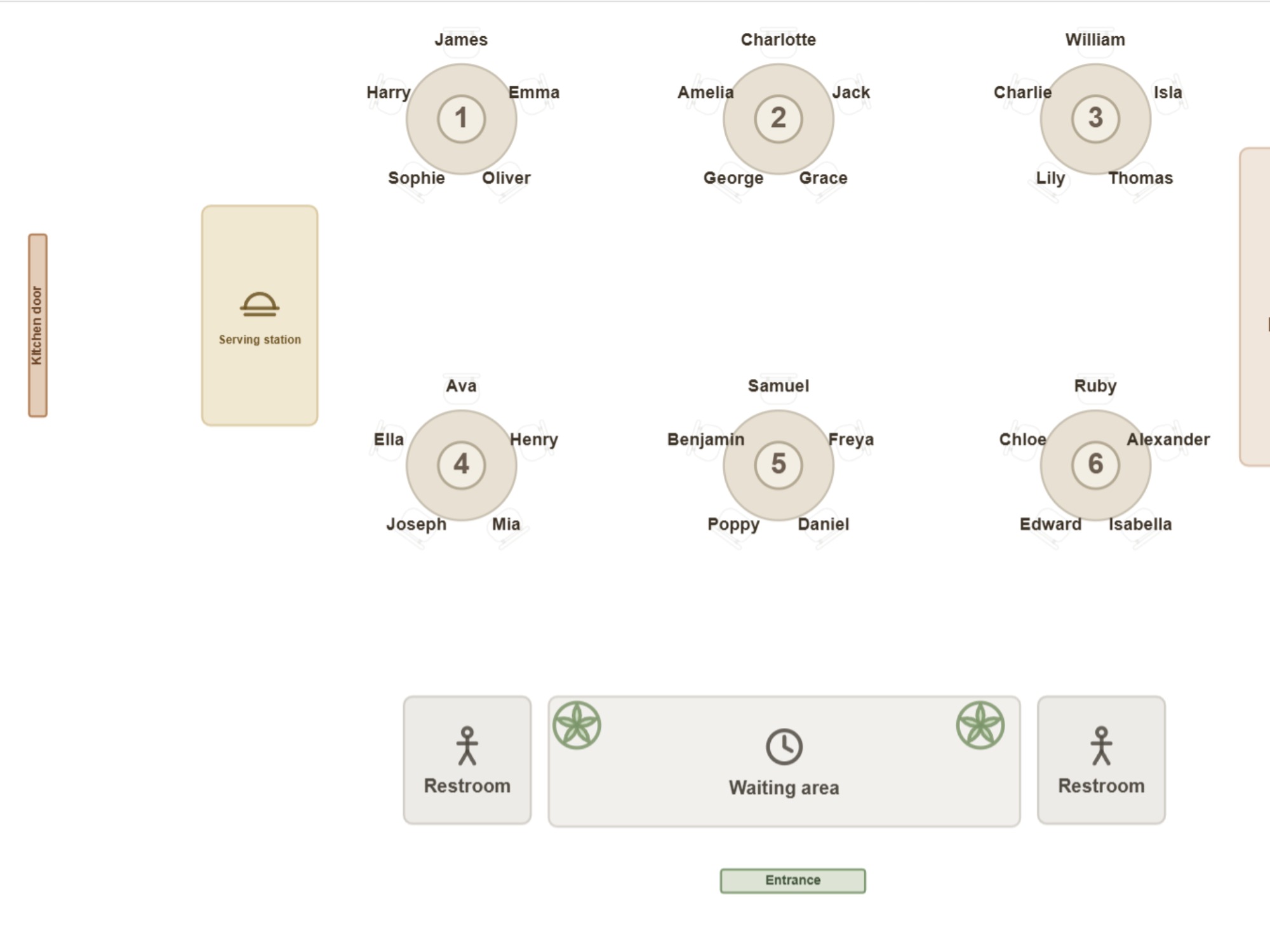
The evening's table plan
A floor plan with the number and the guests written at every table. The sheet that is in the server's pocket when the shift starts.
For restaurants
Drag the tables into place and the seat counter tells you at once what the room seats. Put the parties at tables by the rules, or take the wheel yourself. Print the evening's plan for the staff or send it as a PDF.
Runs in the browser on a computer or tablet. Nothing to install, no account to try it.
On a phone you can browse and show a finished seating plan. Building one goes better on a bigger screen. Email this link to myself
The same room is à la carte on Monday, a Christmas party for 40 on Friday and a wedding reception on Saturday. Every time, the tables are somewhere else. On a seating chart you can try a layout and check the seat count before a single table has been carried anywhere.
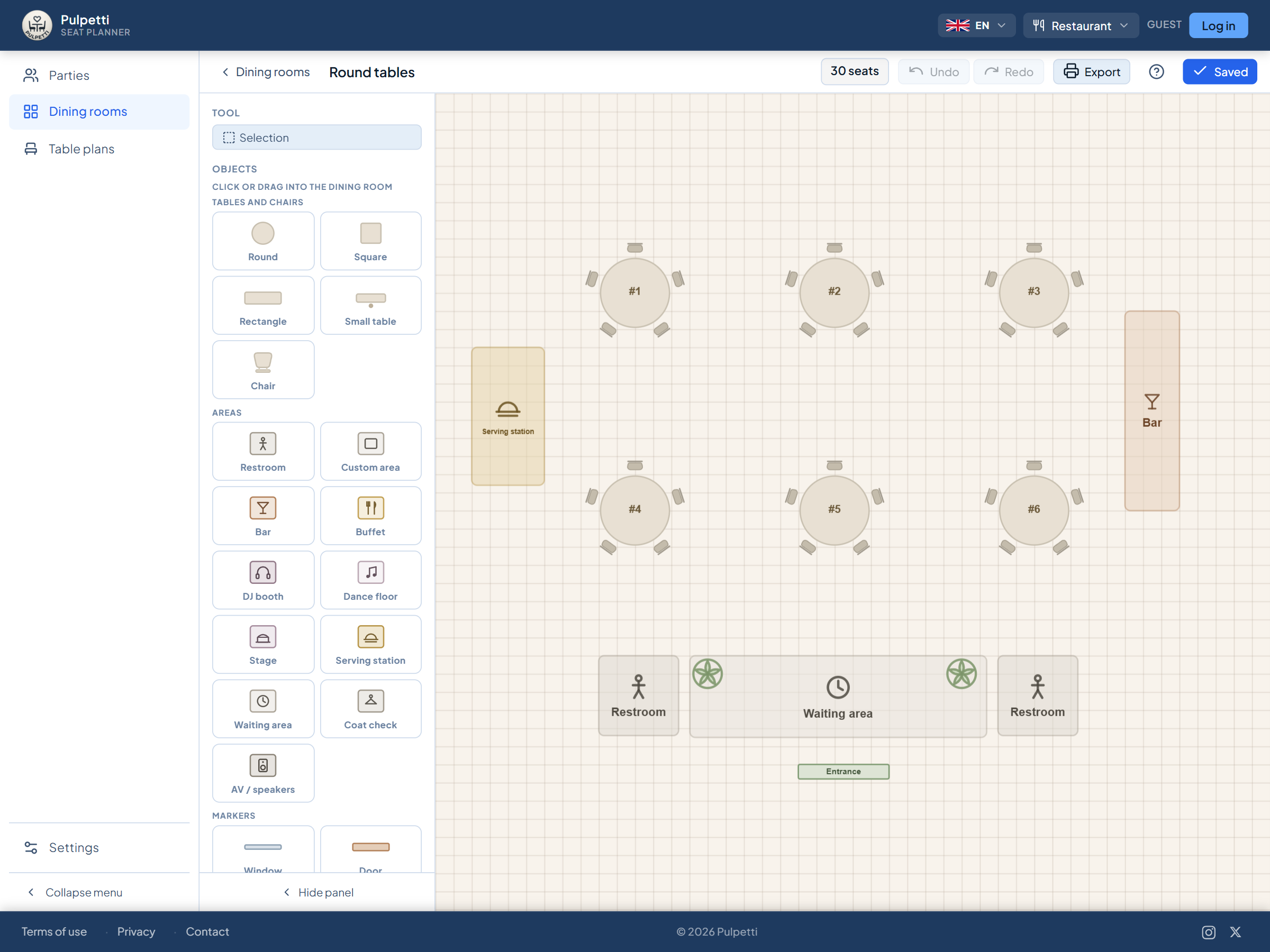
In Pulpetti you draw the room once, and the variations come from copying it. Tables are numbered by their position, the seat counter gives the total, and the room's dimensions can be entered in meters or feet, so the plan matches the real room rather than your memory of it. On top of the same room you can build as many table plans as there are evenings.
Not a single guest is needed: the room editor works on its own, and the seat counter works out the capacity from the furniture alone.
Let the rules seat the parties automatically or drag the names to the tables yourself — the choice is yours.
Everything happens in the browser, including on the terminal in the room or on a tablet. A change takes as long as opening the plan.
Four situations that come up in every dining room.
All four are solved by the same plan: it tells you the capacity, stays up to date, remembers who sits where and prints for the floor.
Start from a ready-made template or drag the tables into place one at a time. Besides tables there are more than twenty objects: a bar, a buffet, a service station, the kitchen door, a screen, a waiting area, a dance floor, a stage and the toilets. Enter the room's dimensions in meters or feet and the plan matches the real room.
Type the names one by one or paste the whole list at once from the clipboard. Give each one a booking status — confirmed, unconfirmed or canceled — and, if you like, a tag that colors the names of the same party on the plan.
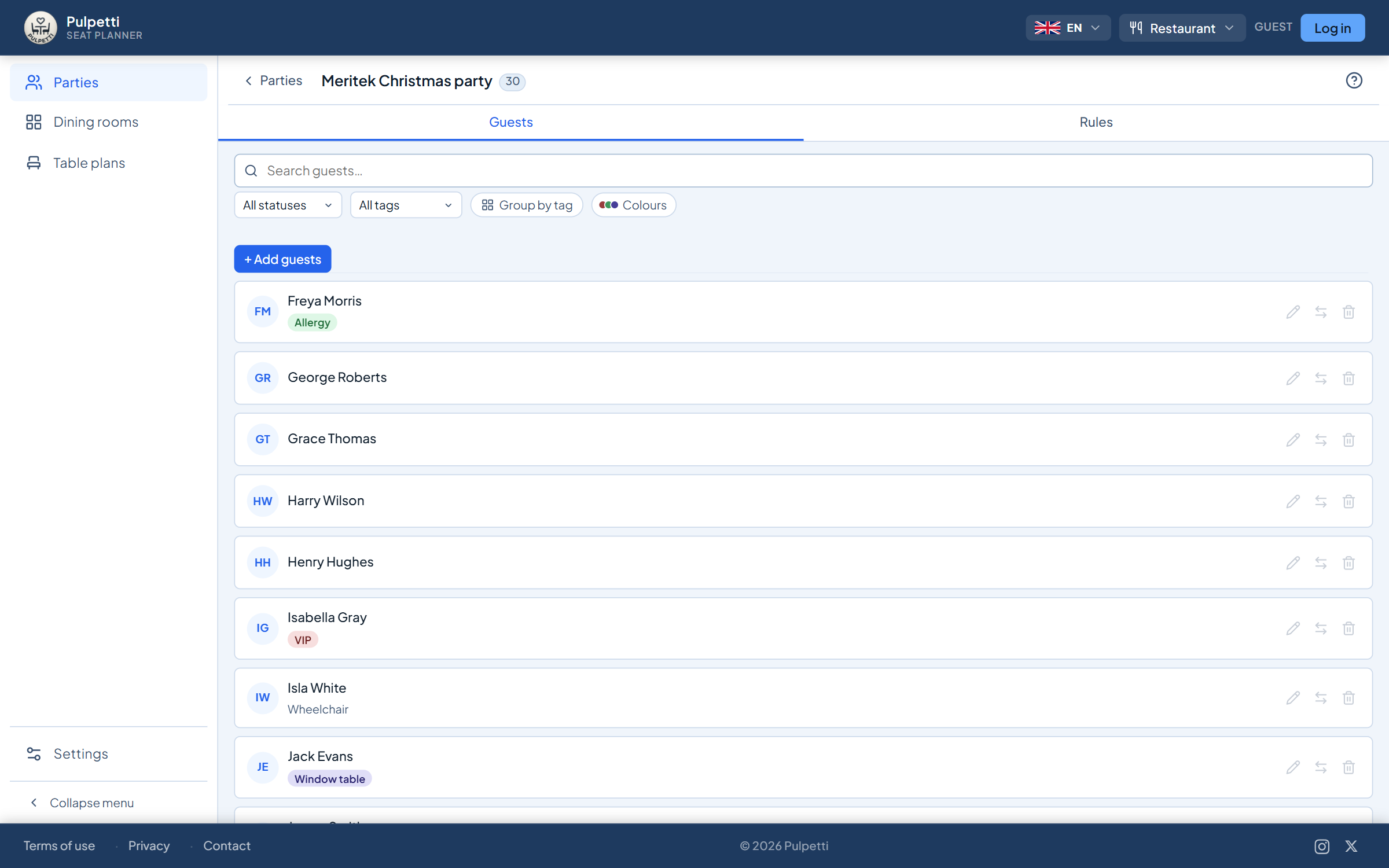
Drag a name from the list onto a table or swap two guests over. Nine rule types help on the bigger evenings: who goes to the same table, who goes to separate tables, whose seat is at a given table. Then either seat the rest yourself or press "Draw all" and correct it by hand.
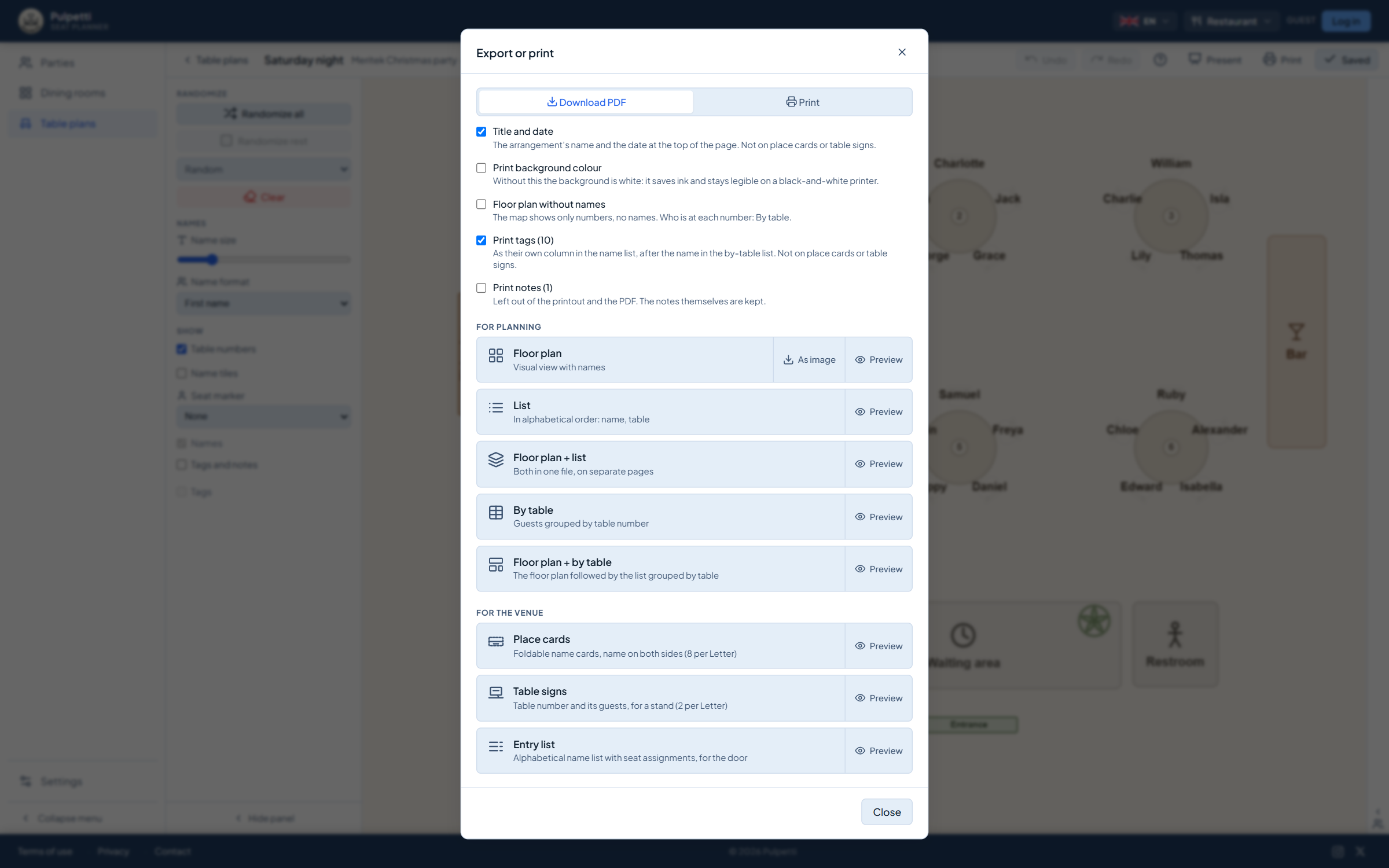
Print the table plan for the staff, the door list for the reception desk or table signs for a private function. The plan can also fill the screen on the terminal in the room — that works on the free plan too.
Try it yourself and see how easy it is to make a table plan. Try it free
On an ordinary evening you do not need rules. They start paying for themselves the moment the whole room goes to one party: sixty names, the host's wishes, and a table assignment that changes twice more before the doors open. Once the wishes are recorded, they hold in every new assignment — and you do not have to remember them again.
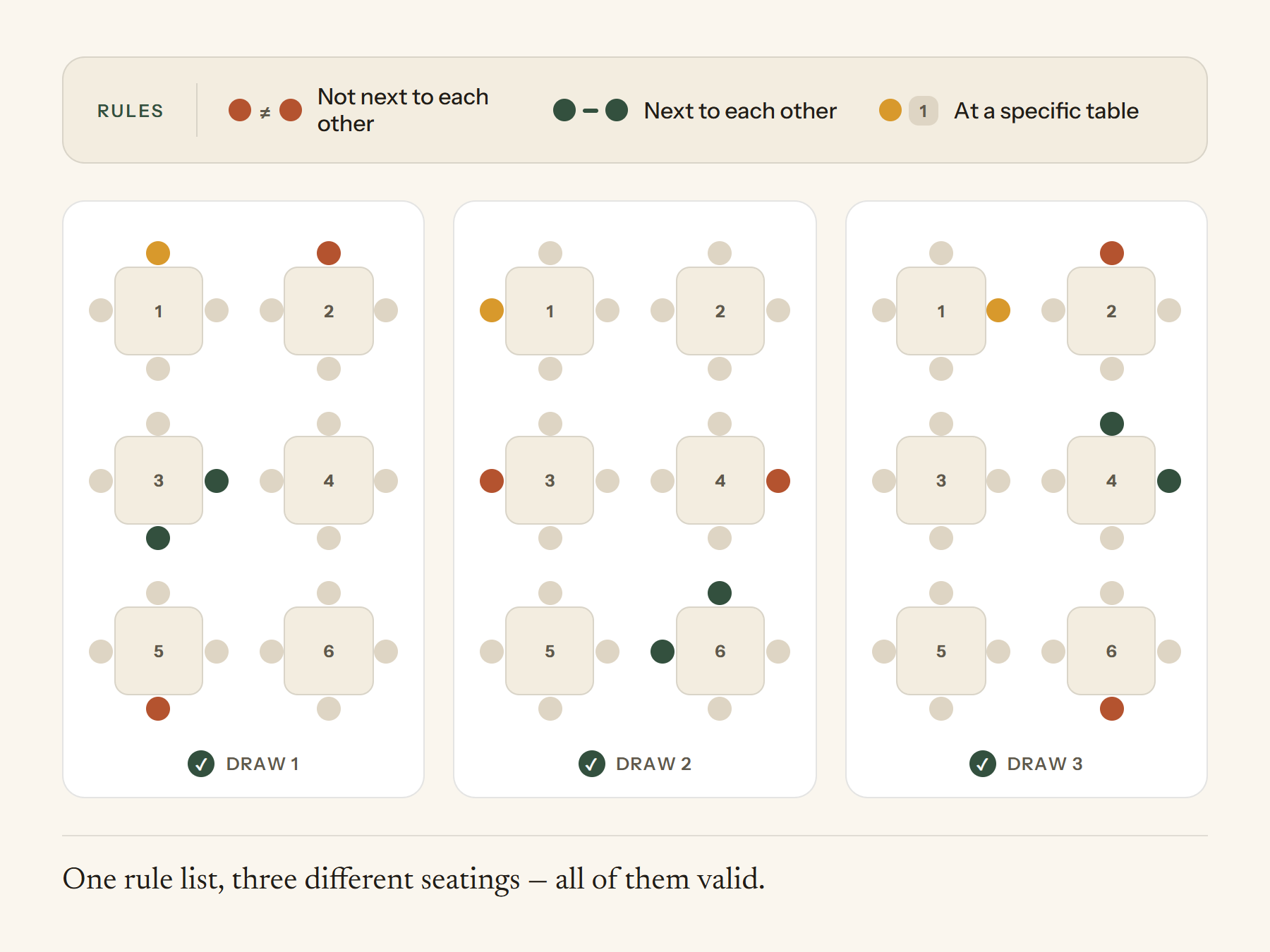
Mark who belongs at the same table or side by side. When you draw the rest, the rule keeps the group together even when the table assignment changes.
Give the guests a tag you name yourself — say, party, company or side of the family — and use the rule "same tag, same table" or "different tags, different tables". Not one name has to be mentioned separately.
Below the plan there is a plain-language note about every broken rule, naming names. It does not stop you saving, it just makes sure nothing slips through.
The host has promised the seat of honour at table 1. Lock that seat and it stays put when you draw the rest again.
The same table plan produces the printouts a shift actually needs at the start of the evening.
A floor plan with the number and the guests written at every table. The sheet that is in the server's pocket when the shift starts.
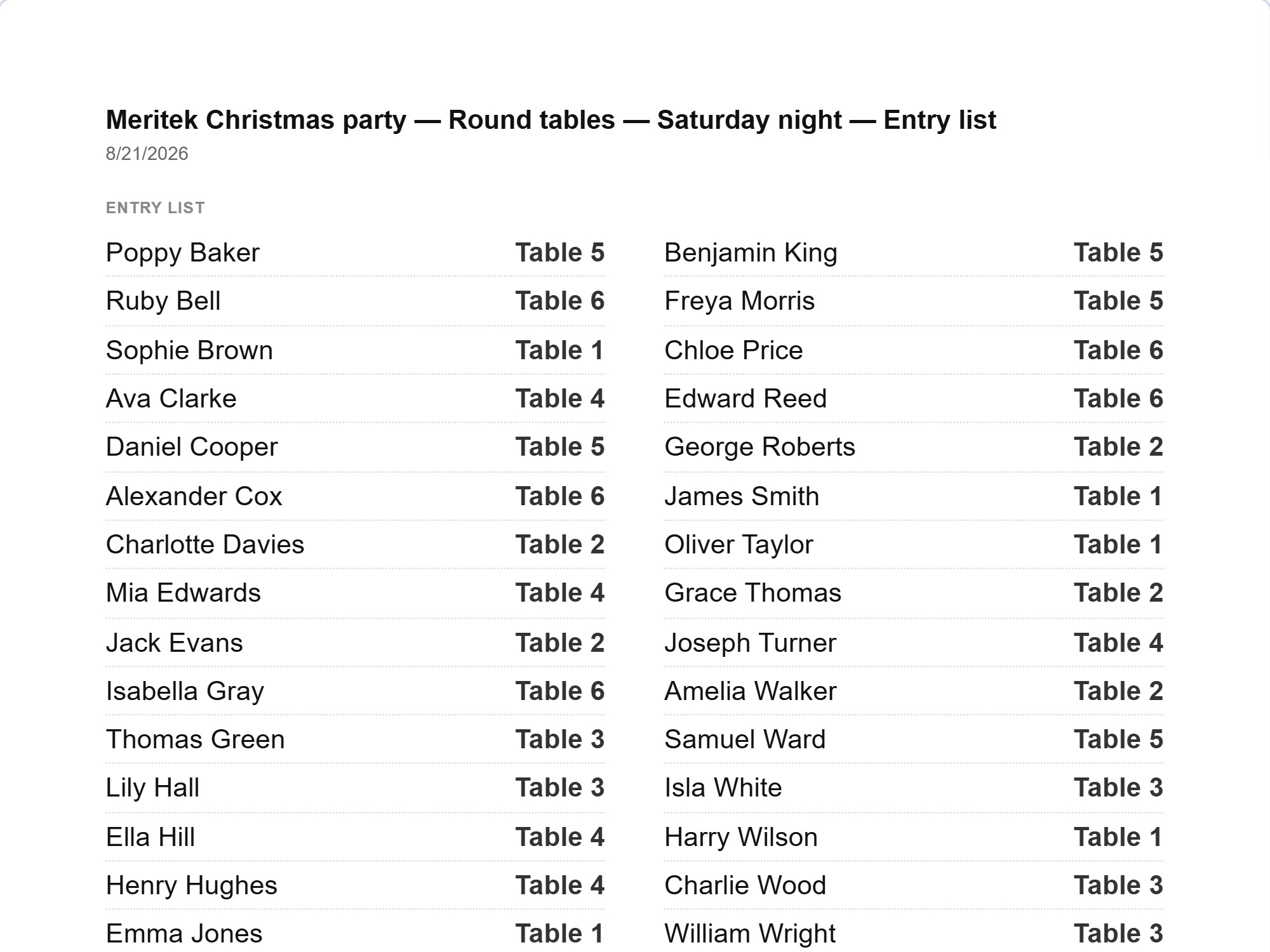
An alphabetical name → table number list for the reception desk. Two columns, at a readable size — a name is found in seconds with a line waiting.
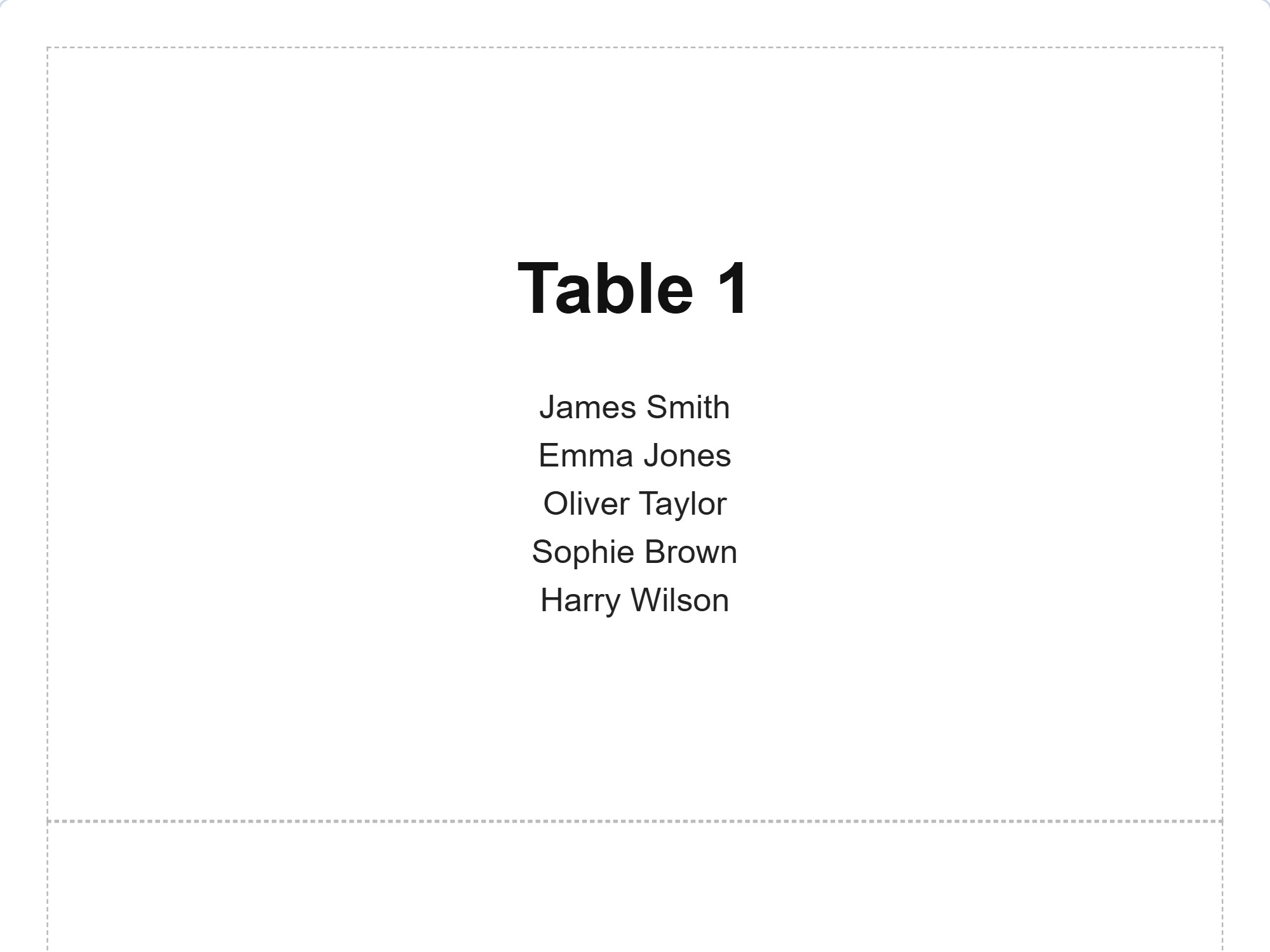
The table number and the party at that table on a standing sign. At a private function the guests find their table without anyone showing them.
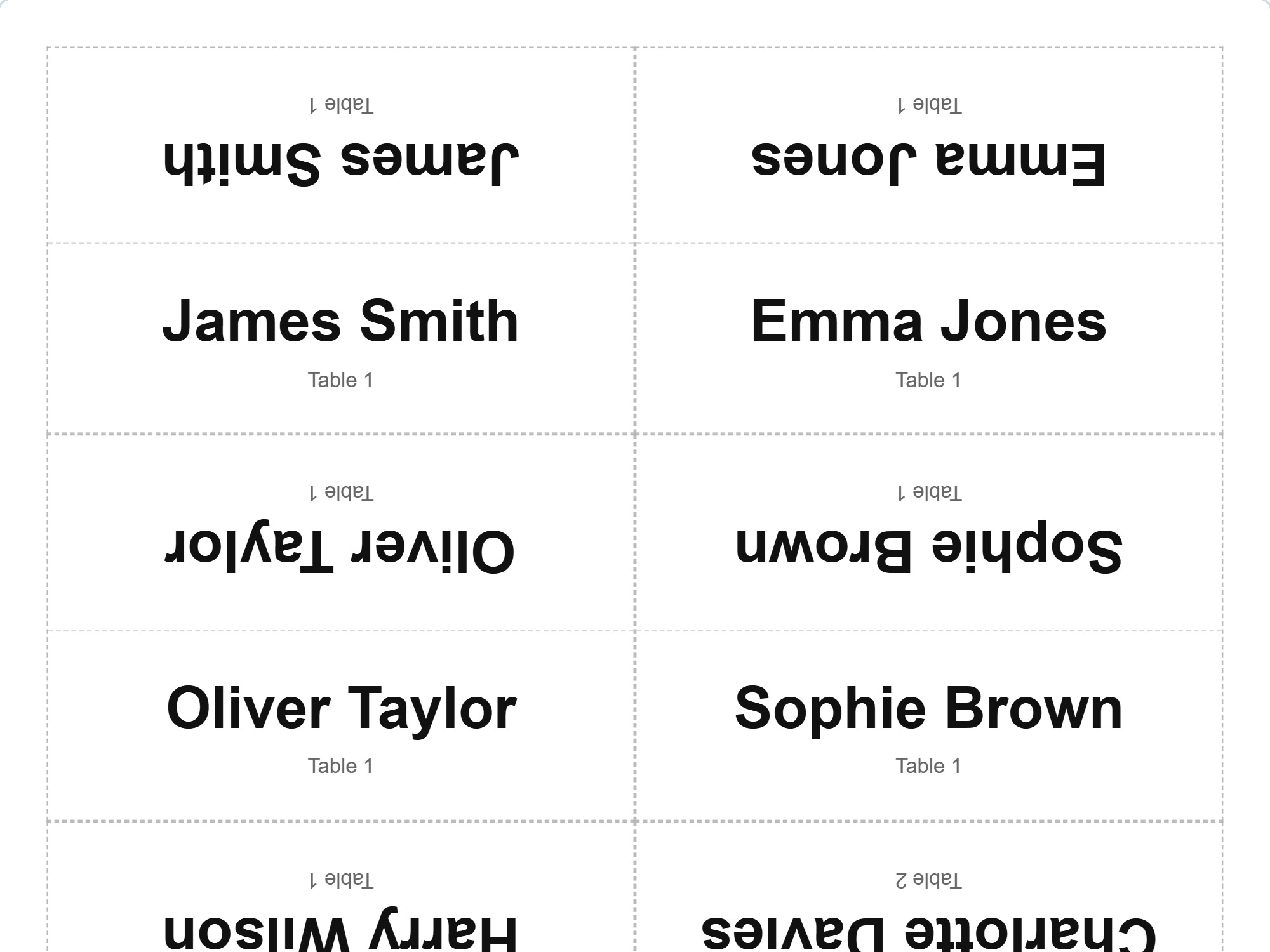
Folded cards with the name on both sides — for the person opposite as well. Cut and fold lines included.
You see a preview of every printout before printing. The same is available as a PDF, so the plan can go out with the rota or be printed on the office computer without the file changing. Next Friday's plan does not have to start from nothing: make a copy of tonight's and change what changes.
Draw your own room and try printing it. Try it free
A party of fourteen in the middle of an ordinary evening. Push tables together on the plan and see at once what is left for the rest of the room — and if the solution does not work, try another one before anything has been carried anywhere. The names take their places, and the rest of the room stays untouched.
The whole room for one group: tags by company or department and the rule "same tag at different tables", and the tables come out mixed. Place cards and table signs print from the same plan.
Six tables of four or three long tables? The terrace open for the summer, the winter layout back in the autumn? Copy the room and change the furniture in the copy — both stay side by side, and the seat counter tells you what each one seats. The real dimensions also tell you whether the tables really fit. Not a single guest is needed: a layout can be planned on the plan before anything is moved.
The plan on the screen in the room or a printout in hand before the first diner. Everyone sees the same table numbers and the same parties, and the start of the evening does not go on a briefing.
From drawing the room to the finished printout — in one tool.
A layout drawn on a napkin survives one evening. A spreadsheet knows names but not the room. Neither tells you whether a party will fit or points out when something agreed is not being met.
| Pen and paper | Spreadsheet | Pulpetti | |
|---|---|---|---|
| The seat count is visible at once | – | partly | ✓ |
| The room to scale | laborious | – | ✓ |
| Automatic table numbering | – | – | ✓ |
| Parties seated by the rules | – | – | ✓ |
| A note when a rule is broken | – | – | ✓ |
| The same room for several evenings | – | partly | ✓ |
| Door list and table signs ready made | – | partly | ✓ |
No. It does not take bookings and it does not handle times — it is the room's plan and the table assignment. Bookings come from wherever they came from before; what is recorded here is where they go in the room.
Yes. The room editor works on its own and does not require a single guest — you draw the layout and the seat counter tells you the capacity. On the free plan there is one room, so comparing options side by side, printing and downloading the layout as an image belong to the paid plans.
The seat counter shows the total number of seats in the room, and the seat count of every table can be changed separately. When you give the room's dimensions in meters or feet and the tables' in centimeters or inches, the plan matches the real room — and the app points it out if tables overlap.
Yes, on the paid plans. A table plan — a seating chart for the evening — is always a combination of a party and a room. If the furniture stays the same, you can make as many plans in the same room as there are evenings. If the furniture changes — the terrace open, tables pushed together for a function — copy the room and edit the copy: the original and its plans stay untouched.
Nine rule types: who goes to the same table, who sits side by side, who goes to separate tables or separate seats, whose seat is at a given table, who sits alone, plus the tag-based "same tag, same table", "same tag at different tables" and "different tags, different tables". Rules belong to the party, so they apply to every plan you make for it.
No. You can build the whole plan by hand: drag a name from the list to a table and swap guests around for as long as you like. A name dropped on a taken seat changes places with whoever is sitting there. The draw is an aid you can skip entirely.
Set the booking status to "Canceled", and the guest drops out of the seating but stays on the list. Seats already given are left alone, and when printing, cancellations can be left out with one tick — so the plan and the lists say the same thing.
The app is designed for computers and tablets — drawing the room needs room on the screen. Touch gestures work on a tablet: pinch to zoom, and a name can be moved with a finger. Note that without signing in, the data is only in the browser where it was made; for the same plan to open on another device, you need cloud storage on a paid plan.
One party, one room and one table plan, plus up to 15 people. The full room editor, tags, rules and the same draw as on the paid plans — as well as presentation mode, which puts the plan on a screen. Printing and PDF export belong to the paid plans.
How many seats a room really holds, how wide a walkway has to be and what mix of table sizes serves your own booking book — those are collected in a guide of their own.
Read the guide: sizing the room, table mix and the flow of the evening →A dining room lives all year round and needs many plans — which is why, for continuous restaurant use, the subscription is the right choice. The one-off purchase suits a single occasion.
€0
Permanent, not a trial
€4.99
One payment, does not renew · valid for 3 months
€2.49/ month
or €27.39 / year (€2.28 / month)
Prices include VAT. Charged in euros. At checkout you can pay in your own currency.
Also available for iPad.


Pulpetti came out of a practical need. I have helped organise a number of events, and saw how awkward it is to work through every constraint by hand. A certain number of people had to fit in the room, and in the right parties. On paper and by other means that was slow.
My partner is a teacher, so I have seen the same work from the classroom side as well. I am a software developer by trade, and I decided to build a program that runs in the browser and keeps the rules between people unchanged from one occasion to the next. If something puzzles you or you want to suggest a new feature, write to me. I hope you like it!
Tomi NevalainenMaker of Pulpetticontact@pulpetti.com
Draw the room, look at the seat count and seat the first party. No account needed.
Try it free